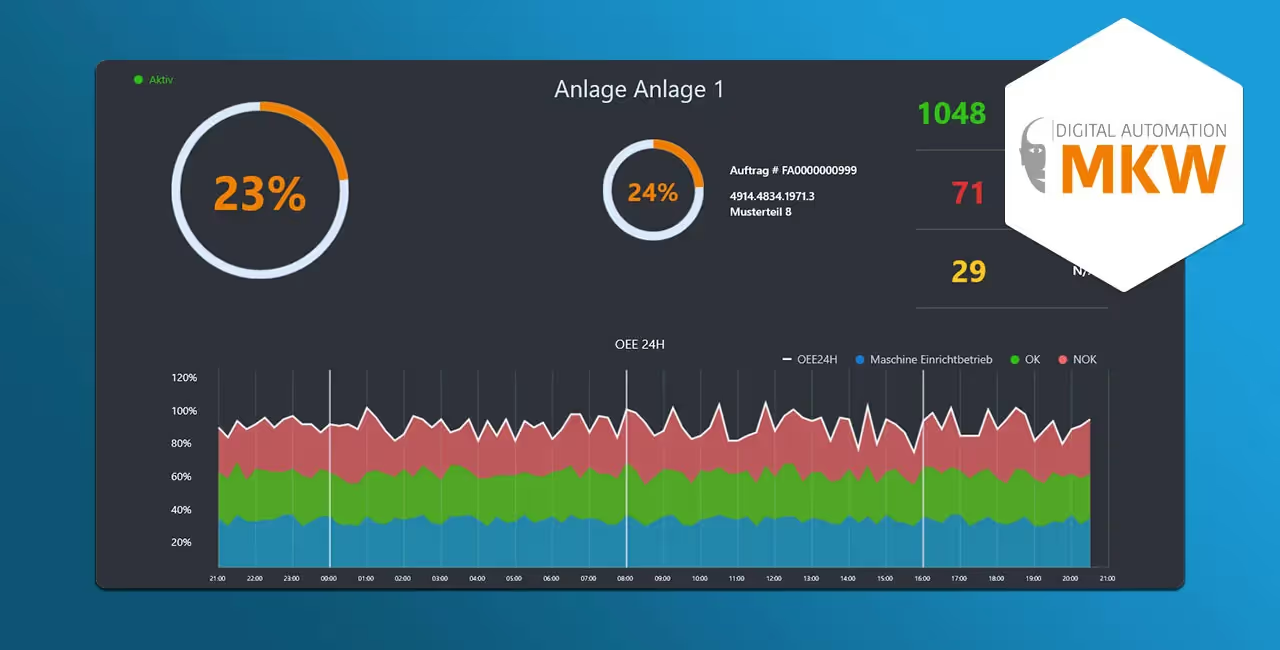
This case study shows how MKW GmbH modernized its existing WPF application as part of a UX redesign. Through prototyping, CoreStyles, and close collaboration between design and development, a modern, user-friendly desktop solution was created.
As part of the MKW UX redesign, a comprehensive WPF modernization was carried out as a case study, including structured prototyping and a conceptual realignment of the application.
Case Study
As a high-end provider in the engineering sector, MKW GmbH is the ideal partner for the planning, development, construction, manufacturing, programming, component production, assembly, and final commissioning of machines and systems. MKW specializes in special-purpose machinery, engineering services, and software development, and creates tailored solutions – from handheld devices to complete lines in the context of Industry 4.0.

DEVWARE GmbH was commissioned to redesign a WPF application with a comprehensive UX redesign including prototyping. The redesign covered several screens of an ordering process and the associated order planning. Based on an as-is/to-be analysis, a prototype was developed to visualize the requirements. In close collaboration with the designers, a new UX concept was created, which was then implemented in WPF by the software developers. This close coordination between design and development ensured that the needs of both areas were optimally taken into account.
The prototype served to visualize and discuss best-practice measures. For this purpose, CoreStyles were defined, establishing the basic styles for buttons, labels, and other UI controls.
"Windows Presentation Foundation (WPF) is a UI framework that enables the development of desktop applications. The WPF platform supports a wide range of features, including application models, resources, controls, graphics, layout, data binding, document management, and security features." (Source: Microsoft Documentation)
The redesign covered various application components such as dashboards, detail views, input forms, and planning overviews. The optimization of these views aimed to create a modern, intuitive, and user-friendly application.
DEVWARE developed the required views as XAML-based WPF clients and also supported MKW with best practices in software design patterns. A code review helped the client understand the binding mechanisms between view and view model and their practical use.
Thanks to an integrated navigation service, the MKW team can navigate the application with ease and seamlessly integrate it into their daily work.
Are you planning a similar project? Learn more about our software modernization.